Screen Loupe 2000 v6.0
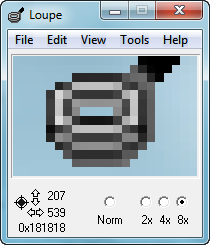
Screen Loupe 2000 - is a small utility that displays a magnified view of whatever is beneath the mouse cursor, much like a jeweler's or printer's loupe. You can copy the contents of the Loupe window to the clipboard as well. The captured image can be pasted into any graphics program and most word processors.
Screen Loupe's main viewing window can be resized, and an option is included to lock the current view. This makes Screen Loupe a great screen capture utility. The current desktop coordinates of the mouse cursor and the RGB color of the pixel directly underneath the mouse can also be displayed.
While Screen Loupe was originally designed for graphic design work it also makes a great general purpose screen magnification utility for computer users with sight impairments.
Screen Loupe now includes options to monitor a specific area of the desktop instead of normal mouse tracking.
Screen Loupe can be configured to optionally place its icon in the taskbar notification tray.
Homepage: http://www.gregorybraun.com/Loupe.html
Скачать: Screen Loupe 2000 v6.0
Woodworm Toolbox Pro v1.1.529
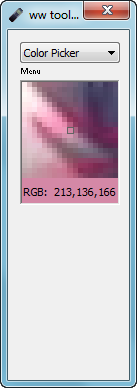
Woodworm Toolbox Pro combines a complete suite of tools. The individual program modules are accessed via a menu that is always accessible in the main program window. You can use several modules at the same time. For example, you can activate both the stopwatch and the countdown timer and while they are running you can then select and use a third tool. Modules: Alarm, Clock (Analog), CD Player, Countdown, Color Picker, Calendar, 3-Month Calendar, ISDN Monitor, Magnifier, Screenshot, Stopwatch, World Time.
Homepage: http://www.woodworm.de/index.html
Download: http://download.cnet.com/woodworm-toolbox-pro/3000-2350_4-10531845.html
Скачать: Woodworm Toolbox Pro v1.1.529
GAX Reloaded v2.01
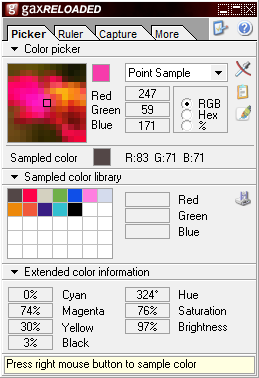
GAXreloaded - is a powerful application for web designers, graphic designers and everyone else who works with graphics. It contains a colorpicker, a screen ruler, and a screen capture tool. The colorpicker allows you to view the color value of every pixel on the screen in various formats(RGB, Hex or percents) and lets you sample that color. After you've sampled a color you can export it to Photoshop to use it in your creation, export it to the clipboard in various formats or save the colorlibrary as an .ACT file which can be imported into PhotoShop. The screen ruler is very handy for measuring objects on your screen. With the screen capture tool you can capture every part of the screen and export the image to Photoshop into a new image or a new layer.
Changelog
Version: v2.01 (23 Jul 2008)
Homepage: http://www.dolphiq-sd.com/site/gax/gax.html
Homepage: http://www.dolphiq-sd.com/site.php?action=gax
Download: http://www.dolphiq-sd.com/downloads/gaxsetup.exe
Скачать: GAX Reloaded v2.01
PawnO Color Picker v1.0
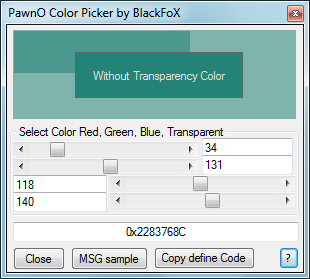
Questo tool serve per selezionare i colori ed ricevere il codice da inserire nel pawno.
Скачать: PawnO Color Picker v1.0
Virtual Magnifying Glass v3.9.1
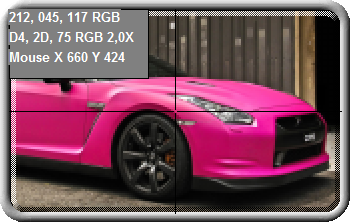
Virtual Magnifying Glass - is a free, open source, cross-platform screen magnification tool. It is simple, customizable, and easy-to-use.
System requirements:
• Microsoft® Windows® 2000 or superior (including Windows 10)
• or Linux system running X11
• or Mac OS X 10.10+ (an older build is available for Mac OS X 10.4+ with non-retina displays)
• Multiple-display systems are supported on Windows
Latest Features:
• New, initial dynamic mode support for Windows 7 or superior in version 3.6+!
• New, much improved dynamic mode for Windows 2000, XP and Vista in version 3.5! No longer requires DirectX or a special video card.
• New, improved Mac OS X version, with support for 10.10 and Retina display!
• Show the center pixel's RGB values, in both decimal and hexadecimal. Copy it with Ctrl+C
• Multi-monitor support
• Lens height and width can have any size
• Mouse scroll-wheel now controls zoom factor
• Esc key closes magnifier window, but it remains on systray. Q key closes the software
• Variable scale factor from 1x to 32x
• New configuration dialog to choose the plugin, Hotkey and other settings
Homepage: http://magnifier.sourceforge.net/
Homepage: https://sourceforge.net/projects/magnifier/
Скачать: Virtual Magnifying Glass v3.6
Скачать: Virtual Magnifying Glass v3.9.1
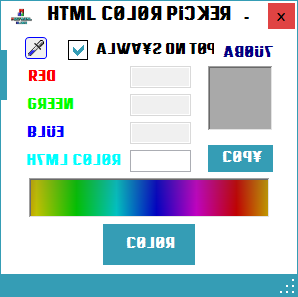
HTML Color Picker v1.0
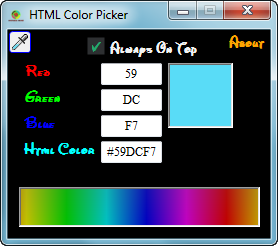
~HTML Color Picker v2.0 Screenshot ~
<NO DESCRIPTION>
Homepage: http://www.mocfaisal.co.vu/2015/10/html-color-picker.html
Homepage: http://www.mocfaisal.co.vu/2017/01/html-color-picker-v2.html
Скачать: HTML Color Picker v1.0
Скачать: HTML Color Picker v2.0
g3Lupe v3.0
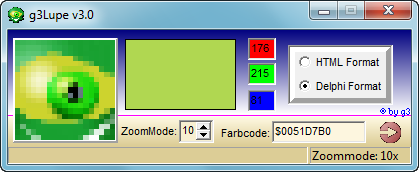
Programmbeschreibung:
g3Lupe ist die Lösung um Farbwerte vom Desktop pixelgenau zu bestimmen. Es ist möglich bis auf einzelne Pixel heranzuzoomen. g3Lupe fügt den ermittelten Farbwert auf Knopfdruck in die Zwischenablage. Keine Vertipper möglich. Es können verschiedene Formate ausgewählt werden. der Standard HTML Farbcode und das BGR-System für Programmierer. Einfach linke Maustaste über g3Lupe drücken und die Grabberfunktion ist eingeschaltet.
Features:
HTML + BGR Farbsystem, Zoom, Farbcode wird auf Knopfdruck in die Zwischenablage eingefügt
Homepage: http://www.g3edv.de/filepage/g3lupe.htm
Скачать: g3Lupe v3.0
ColorPicker v1.0
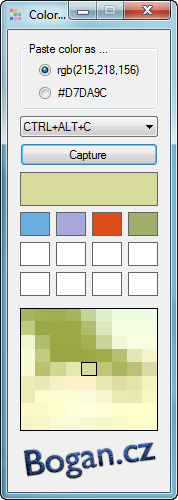
Jednoduchá aplikace, která vám uloží do schránky vybraný bod na obrazovce ve formátu pro CSS styly. Výhodou je možnost zachytit barvu pod kurzorem pomocí klávesové zkratky. Jsou podporovány verze zápisu rgb a hex. Zachycovanou barvu lze také sledovat v okénku, aby se dalo přesněji zaměřit. Je to jednoduchý a tak pokud má někdo návrh na rozšíření, tak stačí napsat do komentářů.
Prográmek vznikl jako pomůcka pro vývoj webů a používám ho takto
Grafik dodal podobu webu v obrázku.
Myší najedu na požadovanou barvu na obrázku.
Zmáčknu na CTRL+ALT+D.
Přepnu se do soubory s CSS styly.
Na místo, kde chci barvu použít, dám jednoduše CTRL+V.
Pokud vám nelze pogram spustit, tak vám asi chybí .NET Framework.
Homepage: http://www.bogan.cz/programy/colorpicker/
Скачать: ColorPicker v1.0
Pawno Color Generator v1.0
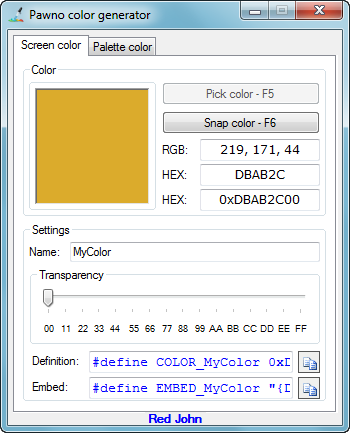
Using this software you get HEX code of color and well known Pawno color code (0xFFFFFFFF).
There is two ways to pick some colors.
- Using your cursor to get HEX code from EVERY POSSIBLE PIXEL on your screen.
- Using integrated Color Palette
Using your cursor
Place you cursor on pixel to have his HEX color. Automatically you will have those:
- HEX Color: FFFFFF
- Pawno Color: 0xFFFFFFFF
- Pawno Definition Code: #define COLOR_MYCOLOR 0xFFFFFFFF
- Pawno Embed Code: #define EMBED_MYCOLOR "{FFFFFF}"
Using integrated Color Palette
Simply select color from Color Palette, define custom colors and click OK. Automatically you will have those:
- HEX Color: FFFFFF
- Pawno Color: 0xFFFFFFFF
- Pawno Definition Code: #define COLOR_MYCOLOR 0xFFFFFFFF
- Pawno Embed Code: #define EMBED_MYCOLOR "{FFFFFF}"
You will need to have .NET Framework 4 to run this software.
Developer: Red John
Homepage: http://forum.sa-mp.com/showthread.php?t=387690
Скачать: Pawno Color Generator v1.0
TinyColorCatcher v1.0.4.4
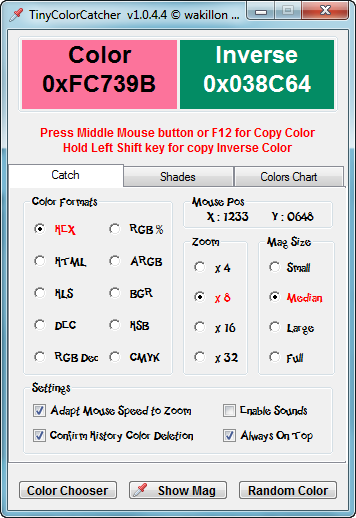
Yet another small tool to know the value of color codes.
A magnifier x4 to x32 will help you to see precise pixel color.
A history of colors store your copied colors and you can delete them with a left click.Icon.
Added the possibility to adapt mouse speed to Zoom Level for an easy color capture.
Added Shades Tab for those who want edit and find the exact shade they want.
After you have copied a color, just left click on "Preview" ( in Shades Tab ) for paste it.
Intensity of shades can be set by 3 radios and you can change shades gradient direction by left click on "Shades" label (at the left of radios group).
Sliders and Inputs can help you to adjust pasted color in preview.
Added Colors Chart with color's names.
For catch any color on Tabs, same principe as magnifier : Press Middle mouse button or F12 for copy color value ( located under your cursor ) to clipboard.
Your settings are saved to registry.
As usual external files are downloaded at first execution.( Run as administrator the first time )
Press middle mouse button or F12 ( for TouchPad User ) for copy color value ( located under your cursor ) to Clipboard.
Source: http://www.autoitscript.com/forum/topic/129663-tinycolorcatcher-v1044-update-of-25-june-2013/
Скачать: TinyColorCatcher v1.0.4.4
Color Converter v2.0.0.0
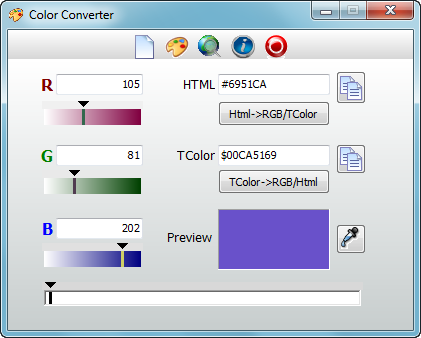
Tool to convert RGB values to HTML/TColor codes and vice versa.
- Convert RGB to HTML/TColor codes
- Convert HTML to RGB/TColor
- Convert TColor to RGB/Html
- Color Preview
- Color Picker Tool
System requirements:
Windows XP, Vista, 7, 8, 10
Screen resolution 800x600 or higher
Free space on HD min. 5 MB
Language: English / German
Homepage: http://www.winsoftware24.com/freeware.html#ColConv
Скачать: Color Converter v2.0.0.0
Colour To HTML v6.2
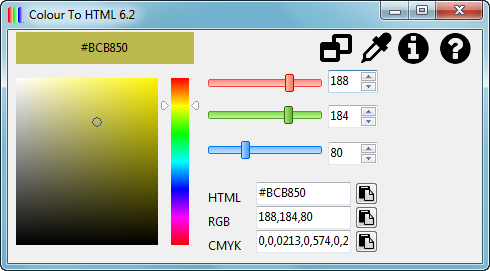
Colour To HTML - is a small Windows utility to convert colours into HTML code.
Features include:
• Easy to use interface
• Point and click colour picker to pick a colour from the screen
• RGB and HSL tools
• Returns HTML, RGB and CMYK values
• The main window has been unlocked, allowing for resizing, the HSL picker resizes with the window
• The history list stores any colour you copy to the clipboard, this list can be exported as an HTML page
• Capture colours straight from the system tray
Latest news
[03/05/2017] Version 6.2 released
Version 6.2 has been released, changes in this release are:
• Replaced icons with something more suitable
• Added RGB and CMYK support
• Solved problems of grey edges on HSL control
• Preview font colour switches between black and white depending on panel colour
Developer: Matthew Hipkin
Homepage: http://www.colourtohtml.matthewhipkin.co.uk
Homepage: https://www.matthewhipkin.co.uk/apps/colour-to-html/
Скачать: Colour To HTML v6.2
MagicColor v1.0
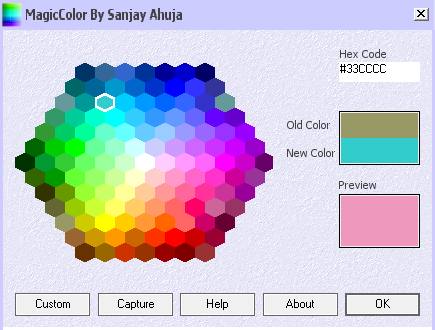
MagicColor - is a color picker utility designed to help programmers and web developers select their favorite colors. It displays standard HTML colors just as FrontPage does. Apart from standard HTML colors you can also select custom colors. Some times you get fascinated by some color you find on web and want to use it, but don't have a way to find its code. Well this utility will allow you to capture your favorite color from anywhere on your system's screen. What else, its free!!!
Скачать: MagicColor v1.0
Выбор цвета v1.0
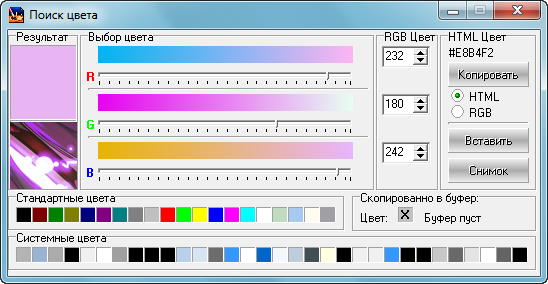
Небольшая программка помогающая выбирать цвет и запоминать его значение в буфере обмена в виде RGB(r, g, b) или #RRGGBB (исходники приложены)
Размер архива: 261 435 байт
Домашняя страница: http://rouse.drkb.ru/other.php#colordemo
Скачать: Выбор цвета v1.0
ColorFinder v1.0
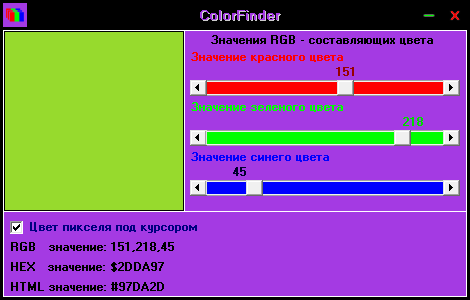
ColorFinder - программа для определения цвета пикселя под курсором мыши. Утилита позволяет выводить значение цвета в RGB, HEX, HTML форматах.
Домашняя страница: https://winnote.ru/utilities/6-colorfinder-opredelitel-cveta.html
Скачать: ColorFinder v1.0
Add Color v2.3
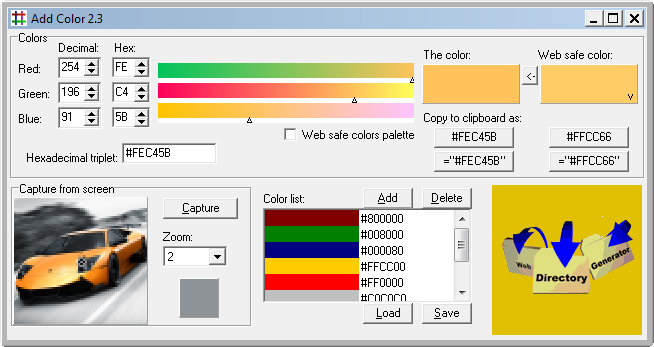
Add Color - A multifunctional color picker that makes selecting color an easy task. You can enter the color in decimal, hexadecimal, select it from the palette, capture it from the current screen, or paste it to or from the clipboard. It fully supports web safe colors by finding the closest to the current and displaying the pallete. You can make, save or load your custom palette. All this and more - Freeware.
Homepage: http://www.webdirectory.co.yu
Download: http://www.webdirectory.co.yu/download/addclr23.zip
Скачать: Add Color v2.3
AI-Software SmartColor v1.02
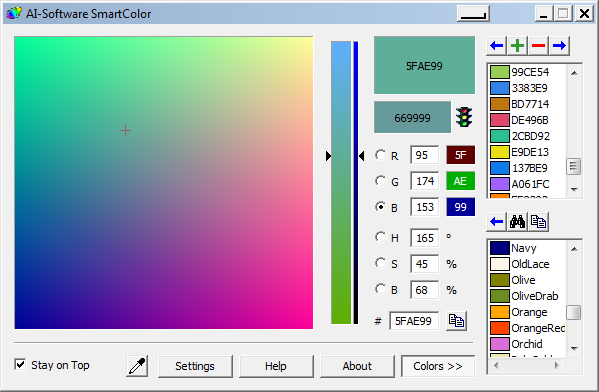
SmartColor - is the cool, universal, powerful, free, easy-to-use, over-engineered (?) color picker for Windows. The current version is 1.02, but development is likely not ever to continue. I hope you like it anyway.
SmartColor is known to run under Windows 95, 98, 2000 and XP. If you know it runs or does not run under other versions of Windows, I'd like to know about it.
Features
SmartColor's most outstanding features are the following:
• Looks a lot like photoshop's color picker, but is a lot better.
• Full real time updating. You see the colors change while you drag the sliders.
• Support for RGB (Red, Green, Blue) and photoshop-compatible HSB (Hue, Saturation, Brightness) color modes.
• Support and automatic adjustment for all 216 cross-platform web colors. SmartColor makes it easy to pick the nearest web color of any color you want.
• Advanced support for all 140 named colors. As with the web colors, SmartColor always tells you which named color is nearest to the currently selected color.
• Ability to copy a color to the clipboard in a variety of formats.
• Ability to minimize to the tray, to stay on top of other windows and much more.
• SmartColor can save any number of colors to your hard disk. This is very handy if you use the same colors over and over.
• Complete and nice-looking documentation in HTML Help format.
• Nice installer/uninstaller.
• Over 50,000 downloads. Okay, this isn't a feature, but it's worth being mentioned anyway.
Homepage: http://www.isotton.com/smartcolor/
Homepage: http://www.isotton.com/software/windows/smartcolor/
Homepage: https://www.isotton.com/misc/smartcolor/
Скачать: AI-Software SmartColor v1.02
Fluid Studios Color Picker v2.6.1
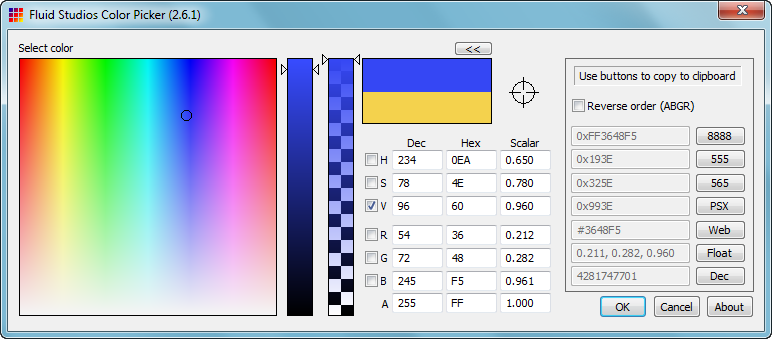
FSColor - is a Color Picker tool for Windows that you can use in your own tools (it's a DLL.) There is also a pre-built executable if you just want to use it as a stand-alone tool. Of all the tools I've written over the years, this tool is the one I still use today and I use it all the time. It was updated for 64-bit processors in Jan 2014.
Adobe's PhotoShop product really nailed the color selection process on the head. I personally saw no need to improve on that, but I wanted a stand-alone tool that encompassed a few extra features (such as picking colors from the desktop & other windows, copying various color RGB formats to the clipboard, etc.) FSColor includes these features and more.
Homepage: http://www.paulnettle.com
Download: http://www.paulnettle.com/pub/FluidStudios/Tools/
Скачать: Fluid Studios Color Picker v2.6.1
|